How to Deliver Digital Products Securely (And Why Email Links Fail)
Learn the best ways to deliver digital downloads to customers in 2026. Discover why Google Drive and email links fail—and how a Personal Buyer Library boosts retention.
How to Deliver Digital Products Securely (And Why Email Links Fail)
You spent weeks crafting the perfect e-book, Notion workspace, Canva bundle, or code kit. You designed a great cover, wrote persuasive copy, and a customer just clicked Buy Now on their phone.
What happens in the next 15 seconds defines your brand reputation, your refund rate, and whether that customer ever buys from you again.
Yet most creators still rely on outdated, fragile delivery methods that frustrate customers and create unnecessary support headaches. Let's compare the 4 ways creators deliver digital products in 2026—and why the Personal Buyer Library has become the modern standard.
Method 1: Raw Google Drive or Dropbox Links (The Amateur Trap)
Many beginners paste a public Google Drive or Dropbox link into a Stripe payment redirect page.
Why It Fails
- Zero Link Protection: Anyone with the URL can post your Google Drive folder on Reddit or Discord, and thousands of people can download your work for free without authentication.
- Accidental Permission Locks: If you accidentally leave Google Drive set to "Restricted", every paying customer hits a "Request Access" wall at 2:00 AM—leading to angry refund requests and Stripe chargebacks.
- Unprofessional First Impression: Paying $39 for a premium product only to be dumped into a messy Google Drive folder immediately cheapens your brand.
Method 2: One-Time Email Download Links (The Support Ticket Magnet)
Most older digital download tools (like Payhip, SendOwl, or basic Shopify plugins) deliver files by emailing a temporary download link that expires after 24–72 hours or 3 clicks.
Why It Fails in 2026
- The Mobile-to-Desktop Gap: Over 70% of creator traffic comes from mobile phones (TikTok, Instagram, X), where buyers purchase on the couch—but they actually want to download and use that 500MB ZIP file, LUT pack, or code boilerplate on their laptop the next day. By the time they open their laptop on Saturday, the temporary link has expired or is buried in their email promotions tab.
- Apple Hide-My-Email & Spam Filters: Customers using Apple Pay or privacy relay emails frequently miss automated receipt emails, leading to "I paid but never got my file!" emails in your inbox.
- Static Files Go Stale: If you fix a typo in your e-book or add 3 new modules to your template a month later, customers who bought via one-off email links are stuck with an outdated file unless you manually blast out new links.
Method 3: Heavy Online Course Portals (Overkill for Downloads)
Platforms like Kajabi or Teachable force every buyer to create a student academy account, navigate through a multi-module classroom sidebar, and click through lesson players just to download a PDF or template bundle (see our Kajabi Alternatives breakdown).
While course players make sense for 20-hour video masterclasses, they create massive friction when a buyer simply wants to download an e-book, a UI kit, or a spreadsheet.
Method 4: The Dedicated Personal Buyer Library (The Djaty Standard)
How should digital product delivery work in 2026? It should combine the instant gratification of a direct download with the permanent organization of a cloud library.
That is exactly why we built the Personal Buyer Library into the core of Djaty:
1. Instant Post-Checkout Access (Zero Waiting)
The moment a customer completes checkout on your Djaty storefront, they get immediate access to their files and onboarding instructions right on screen—plus a clean confirmation email.
2. A Permanent Customer Dashboard Across All Devices
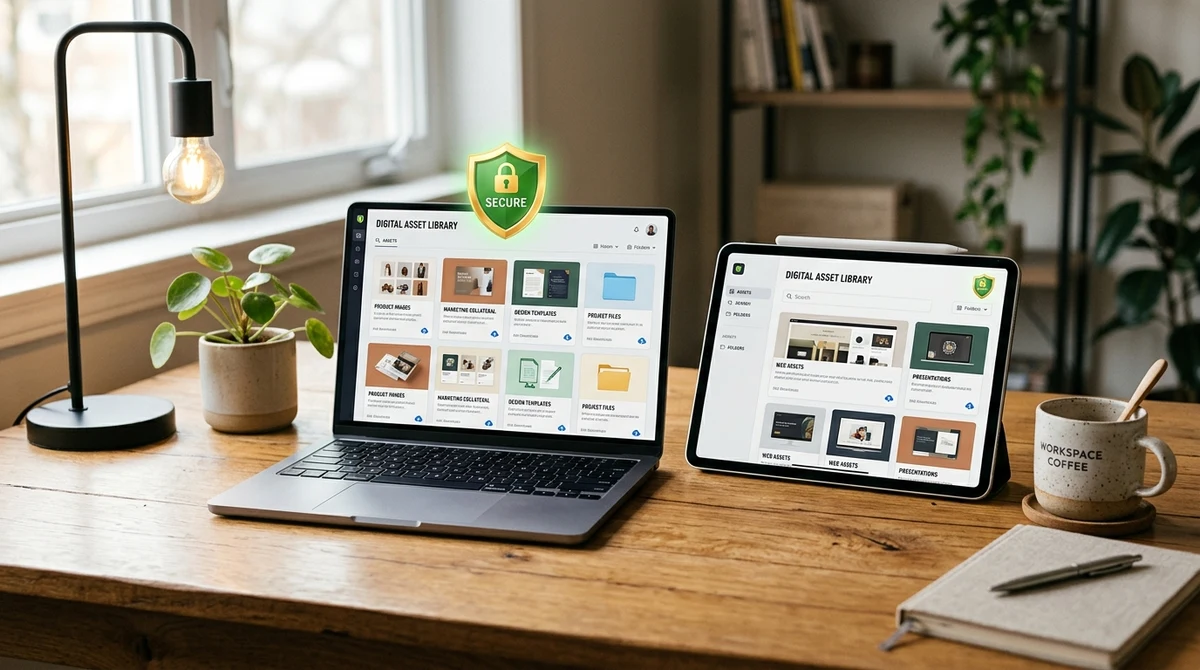
Bought a template pack on an iPhone while scrolling Instagram, and want to open it on a MacBook three weeks later? Your buyer simply logs into their Personal Buyer Library—where every digital product they have ever purchased is neatly organized and ready to download anytime. Zero "Can you resend my link?" support emails for you.
3. Seamless Version Updates & New Instructions
Digital products are living assets:
- Found an error in chapter 4 of your e-book?
- Upgraded your Notion template with Notion's newest chart views?
- Added 10 bonus presets to your Lightroom pack?
On Djaty, you simply update the product file and post your new instructions in your dashboard. Every customer—past and future—automatically sees the updated version and new instructions the next time they open their Personal Buyer Library.
Comparison: Digital Product Delivery Methods
| Delivery Method | Piracy Protection | Works Across Devices Later? | One-Click Product Updates? | Support Ticket Load |
|---|---|---|---|---|
| Google Drive / Dropbox | None (Public URL) | Only if bookmarked | Chaotic | High (Permission errors) |
| Expiring Email Links | Moderate | Poor (Links expire) | No (Requires manual re-sends) | High ("Resend my link!") |
| Course Portals | High | Yes | Yes (Heavy navigation) | Medium (Login friction) |
| Djaty Buyer Library | High (Authenticated) | Yes (Permanent Dashboard) | Yes (Files + Instructions) | Near Zero |
Best Practices for Packaging Your Digital Deliverables
To make your customers rave about your products from the first click:
- Use Clear, Versioned Filenames: Name your files
Brand-Kit-Templates-v2.0.pdfinstead offinal_v3_edit2.pdf. - Include a "Start Here" Note: Use Djaty's product instructions area (or a 1-page Quickstart PDF) to tell buyers the exact first 3 steps to take.
- Highlight "Free Lifetime Updates" on Your Product Page: Let shoppers know that buying from your Djaty store includes permanent access to future updates in their Buyer Library—instant peace of mind that boosts checkout conversion rates!
Ready to deliver a world-class post-purchase experience without paying heavy platform fees? Launch your digital storefront on Djaty for free today.