How to Turn Your Link-in-Bio Into a High-Converting Digital Storefront (2026 Guide)
Stop losing sales to messy link lists. Learn how to turn your TikTok, Instagram, or YouTube link-in-bio into a high-converting digital product storefront in 2026.
How to Turn Your Link-in-Bio Into a High-Converting Digital Storefront (2026 Guide)
Every creator knows the drill: you spend hours scripting, filming, and editing a TikTok, Instagram Reel, or YouTube Short. The video takes off, viewers tap your profile, and they click the single link in your bio.
What happens next determines whether that attention turns into revenue—or evaporates.
If your bio link opens a generic vertical list of 12 outbound links ("My YouTube," "My Podcast," "My Amazon Storefront," "My Newsletter," "Shop My Templates"), you are forcing mobile visitors to hunt for what they came for. Even worse, sending them to an external third-party checkout page adds extra page loads inside an in-app browser where impatient scrollers bounce in seconds.
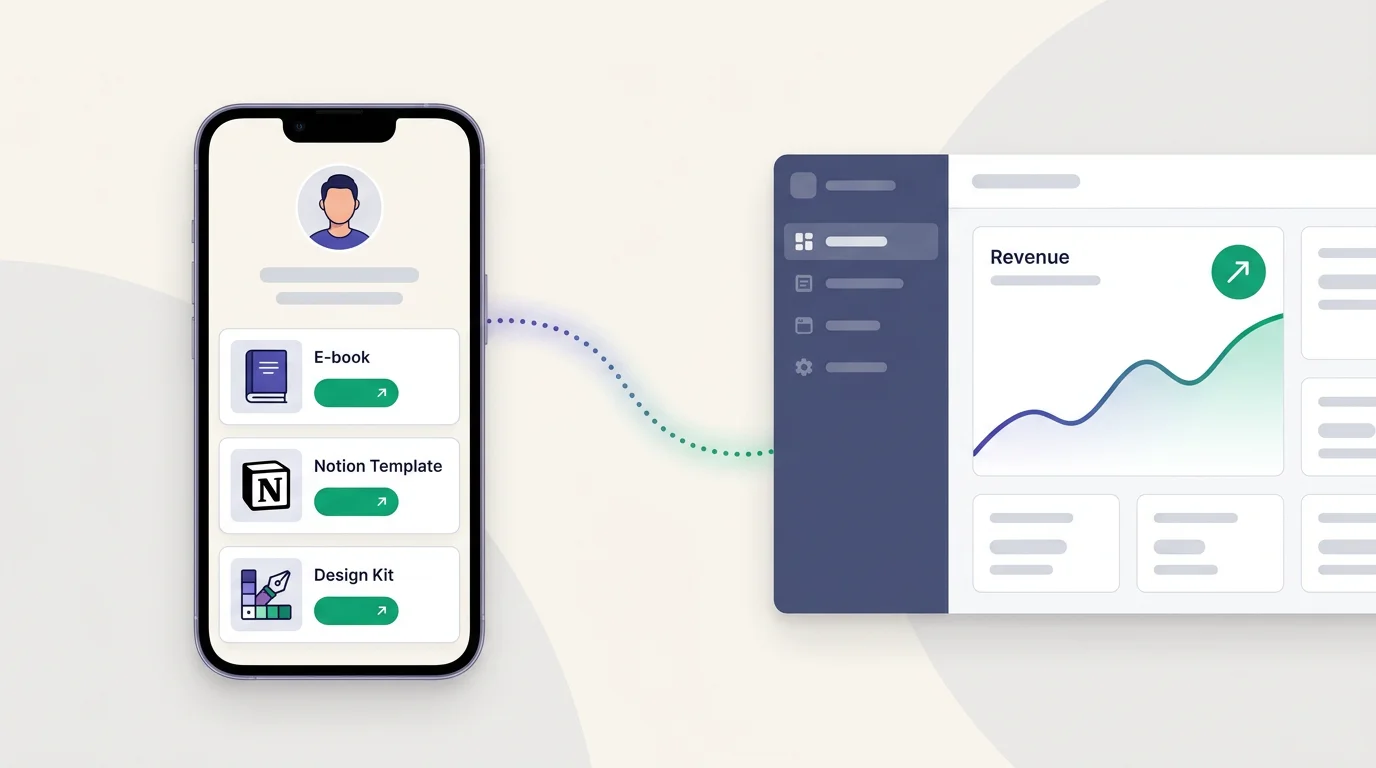
In 2026, the highest-earning creators don't use a link directory. They use a link-in-bio digital storefront—a fast, mobile-first commerce hub that also works as a full desktop e-commerce store. Here is how to build one that converts.
Why Traditional Link Lists Kill Digital Product Sales
Most social media traffic arrives on a smartphone inside an in-app browser (Instagram, TikTok, or X). In that environment, every extra click costs you 20%–40% of your potential buyers.
Compare the two customer journeys:
The Old "Link Directory" Funnel (4+ Clicks)
- Viewer taps your bio link.
- Link directory loads; viewer scans past 6 social buttons to find your product link.
- External shop page opens in a slow in-app webview.
- Buyer taps Buy, fills out a long checkout form, and waits for an email link.
The Modern Link-in-Bio Storefront Funnel (2 Taps)
- Viewer taps your bio link and immediately sees your hero product card, mockup, and price above the fold.
- Buyer taps Buy Now, checks out in seconds with Apple Pay, Google Pay, or a card, and gets instant access to their files.
If you are still deciding between a basic bio tool and a dedicated store, see our breakdowns of the top Linktree alternatives and Stan Store alternatives.
5 Principles of a High-Converting Link-in-Bio Storefront
Turning your bio link into a reliable sales channel comes down to conversion psychology on small screens.
1. Put Your Hero Product Above the Fold
Do not bury your paid digital product beneath your social media icons or a long bio paragraph. When someone taps your link from a video about your Notion system or Canva bundle, that exact product should be the first visual card they see without scrolling.
2. Sell the Transformation, Not the File Format
Nobody wakes up excited to buy a "42-page PDF" or a "ZIP folder." They want the outcome the file delivers:
- Weak: Notion Content Calendar Template ($19)
- Strong: Plan 30 Days of Content in 20 Minutes — Creator OS ($19)
Pair your title with a clean mockup showing the product in action (on a laptop or tablet screen) so shoppers immediately grasp what they are getting.
3. Eliminate Choice Overload
Psychologists call it the paradox of choice: when visitors see 15 competing buttons, they freeze and leave. Keep your link-in-bio storefront focused:
- 1 Hero Offer: Your flagship digital product or best-selling bundle.
- 1–2 Secondary Offers: A lower-priced starter kit or an upgraded pro tier (see our guide on how to price digital products using 3-tier anchoring).
- 1 Free Lead Magnet: A mini checklist or sample template to capture email addresses from visitors who aren't ready to buy today.
4. Support One-Tap Mobile Checkout Worldwide
If a creator in London, Toronto, or Dubai wants to buy your $29 template while riding the train, typing a 16-digit credit card number on a phone is a conversion killer. Your storefront needs Apple Pay, Google Pay, major credit cards, and localized payment methods with automatic currency conversion so global followers can pay in two taps.
5. Bridge the Mobile-to-Desktop Delivery Gap
Over 70% of social clicks happen on phones, yet buyers often want to open and customize templates, presets, or e-books later on their laptop.
Relying on expiring email download links creates support headaches ("I bought on my phone yesterday and the link expired!"). Instead, use a platform with a permanent customer dashboard so buyers get instant access right after checkout and can re-download anytime on any device. (We cover this in depth in our guide on how to deliver digital products securely.)
Link Directory vs. Bio-Only Tool vs. Hybrid Storefront
Not all creator platforms are built the same. Here is how the three main approaches compare when your goal is selling digital products:
| Approach | Examples | Mobile Bio Experience | Full Desktop Storefront | Digital Delivery & Updates |
|---|---|---|---|---|
| Link Directory | Linktree (Free / Starter) | Good for outbound links | No | None (requires external shop) |
| Bio-Only Storefront | Stan Store, Beacons | Strong mobile cards | Limited (feels like a narrow phone column on desktop) | One-time email links |
| Hybrid Link-in-Bio + E-Commerce | Djaty | Mobile-first conversion themes | Full responsive e-commerce store & custom domain | Personal Buyer Library + 1-click updates |
The hybrid model gives you the best of both worlds: your bio link converts social scrollers on mobile, while creators arriving from Google search, YouTube descriptions, or newsletters land on a full, brand-owned e-commerce storefront—not a cramped vertical list.
Step-by-Step: Launch Your Link-in-Bio Digital Store in Under 10 Minutes
You don't need custom code, Shopify plugins, or a $29+/month subscription just to test your first product.
Step 1: Pick One Specific Problem to Solve
Start with a digital product you can ship quickly—like a Canva template pack, a Notion dashboard, a niche e-book, or a Lightroom preset bundle. Focus on solving one concrete pain point for your audience.
Step 2: Launch Your Storefront on Djaty
Create your free account on Djaty ($0/month Basic plan with a 5% platform fee, or upgrade later to Premium for 2% or Elite for 0% platform fees). Choose a conversion-optimized theme tailored for mobile link-in-bio traffic and desktop shoppers alike.
Step 3: Upload Your Product & Onboarding Notes
Upload your digital files directly to Djaty and write clear setup instructions. Every buyer automatically receives access to their Personal Buyer Library—so if you ever improve your product or add bonus files, you can push a one-click update to all past and future customers.
Step 4: Turn On Global Payments
Connect payments to accept credit cards, Apple Pay, Google Pay, and local payment methods across 195+ countries, giving international followers a fast, trusted checkout experience.
Step 5: Connect Your Social Content Funnel
Replace your old link tree URL in your TikTok, Instagram, X, and YouTube bios with your new Djaty storefront link (or your own custom domain on paid plans).
3 Social-to-Storefront Tactics That Drive Consistent Sales
Once your storefront is live, pair it with simple, repeatable distribution habits:
- Use the "Show, Don't Just Tell" Video Loop: Record a 20-second screen capture of your digital product actually solving a problem (e.g., filling out a budget tracker or duplicating a template). End with a specific CTA: "I put the exact template I use at the top of my bio."
- Pin Your 3 Best-Converting Videos: New profile visitors almost always watch your pinned posts first. Keep your top 3 problem-solving demos pinned at the top of your TikTok and Instagram grids.
- Pair Short-Form Content With Keyword DMs: On Instagram, tell viewers to comment a keyword (like
"SYSTEM") to receive your storefront link directly in their DMs—capturing high-intent buyers while boosting post engagement.
Ready to Upgrade Your Bio Link?
Your bio link shouldn't be a passive list of exits—it should be your highest-converting storefront.
With Djaty, you can combine a sleek link-in-bio and a complete digital product e-commerce store in under two minutes, accept global payments across 195+ countries, and delight customers with a Personal Buyer Library—all starting for free.